
Use that route to sign in with an existing account and let the website load its current version automatically. The platform supports euros and cryptocurrencies on mobile just as it does on desktop.
Cocoa Casino welcome bonus100% up to €1,000 · 18+ · Terms apply
Play at Cocoa CasinoCocoa Casino App key facts
The browser service is the supported mobile option. It keeps installation, storage and manual update requirements out of the process.
| Mobile point | Cocoa Casino position |
|---|---|
| Native Android app | Not available |
| Native iOS app | Not available |
| Supported access | Mobile browser |
| Download | None required |
| Website updates | Loaded automatically |
| Account | Same credentials as desktop |
| Mobile cashier | Cards, wallets and cryptocurrencies |
| Home-screen icon | Browser shortcut |
Opening Cocoa Casino on Android
Android users can enter through Chrome or another modern browser. The casino does not require permission to install files from unknown sources.
- Launch the browser normally used on the phone.
- Enter the Cocoa Casino address in the location bar.
- Inspect the domain before opening the account form.
- Sign in with the registered email and password.
- Allow the mobile lobby to finish loading before selecting a game.
If the interface stalls, close unused tabs and reload from a fresh browser page. Clearing all site data will end the saved session, so retain access to the account email before doing so. An outdated bookmark should be replaced after verifying the current address.
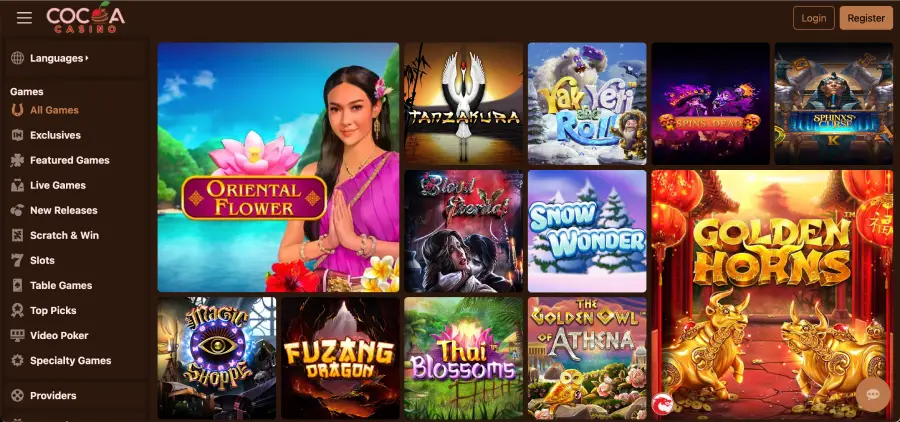
Using Cocoa Casino on iPhone or iPad
Safari handles the full mobile route on iOS. There is no App Store package to locate, install or maintain, and an existing Cocoa Casino profile works in the browser.
Open Safari, navigate to the casino, check the address and select login. Keep the device in portrait mode for the account and cashier forms; individual games can use landscape mode when their controls fit better that way.
Safari privacy settings or a content blocker can interfere with a sign-in window. If a control does not respond, test the page with the blocker paused rather than installing a different program promoted in a pop-up.
Keep enough battery power for any payment or verification step already in progress. If the connection drops while a game round is resolving, reopen the same title from the account instead of placing a replacement stake. The provider record, rather than a second tap, determines the completed result.
Adding a home-screen shortcut
A shortcut reduces repeated navigation while remaining a browser bookmark. It neither adds app permissions nor creates a separate Cocoa Casino installation.
Android shortcut
Open the verified page in Chrome, choose the browser menu and select the option to add it to the home screen. Review the displayed address before confirming the icon.
iOS shortcut
Visit the site in Safari, use the Share control and choose Add to Home Screen. The saved icon launches Safari directly at the bookmarked page.
Remove the icon if it begins opening an unfamiliar address. Creating a new shortcut from a checked browser session is safer than editing an old destination or following a replacement link from an unsolicited message.
Mobile games, bonuses and account controls
The responsive layout includes the game lobby, balance information, promotion area, profile and customer-support routes. Touch controls replace mouse input, but the rules and account currency do not change with screen size.
- Search the lobby and open available games.
- Read paytables before choosing a stake.
- View cash and promotional balances separately.
- Check bonus progress and free-spin counters.
- Update permitted profile settings.
- Reach the deposit and withdrawal forms.
Always confirm the stake after rotating or resizing the game. A small touchscreen can place adjacent controls close together. The Cocoa Casino free-spins guide explains how the 50 welcome spins should appear and where they can be used.
The mobile layout should also be used to read the promotion terms before opting in. Expiry, eligible games and wagering are easier to overlook when a banner is collapsed. Open the full conditions, then return to the offer only after deciding whether its restrictions fit the intended session.
Mobile login and session security
The mobile login uses the account’s normal email address and password. Do not create another profile simply because the browser has forgotten a saved session.
- Use a password created only for Cocoa Casino.
- Keep the phone protected by its device lock.
- Do not store credentials in a shared browser.
- Reject requests for one-time codes or remote access.
- Sign out after using a borrowed device.
Password recovery and account verification are handled through the normal sign-in route. The separate Cocoa Casino login page covers resets, two-step authentication and KYC prompts.
Deposits and withdrawals on mobile
The cashier can be operated from a phone without extra payment software from the casino. The general table lists a 20 EUR minimum deposit and a 50 EUR minimum withdrawal for Visa, Mastercard, Skrill, Neteller and equivalent cryptocurrency amounts.
| Payment route | Deposit minimum | Withdrawal minimum | Estimated time |
|---|---|---|---|
| Visa or Mastercard | 20 EUR | 50 EUR | 1-3 days |
| Skrill | 20 EUR | 50 EUR | 24 hours |
| Neteller | 20 EUR | 50 EUR | 24 hours |
| Cryptocurrency | 20 EUR equivalent | 50 EUR equivalent | Under 24 hours |
Zoom in on long wallet addresses and compare both ends before approving a crypto transfer. Card and wallet details should belong to the casino account holder. The payments guide explains verification, method limits and delays in greater depth.
Fake APKs and misleading download pages
A file labelled Cocoa Casino APK is not an official mobile product. The brand’s current access method is the website, so Android should not need its unknown-source setting changed.
Do not install a profile, certificate or package that promises a faster login or an exclusive bonus. Malicious software can capture credentials, alter copied payment addresses or display invented promotions. Delete the download unopened.
If an untrusted package has already been installed, remove it, review device permissions and change the casino password from a clean session. Inspect recent payment activity and contact the relevant provider about anything unfamiliar.
Push-alert promises are another warning sign. The browser route does not acquire app-level notification features simply because a file uses Cocoa branding. Account messages should be assessed inside the signed-in profile, where their promotion name and terms can be compared before any action.
Cocoa Casino is for adults aged 18 and over. Easy mobile access should not extend a planned session or encourage another deposit. Set a spending boundary before signing in and use the responsible gaming resources when additional control or support is needed.
Cocoa Casino App FAQ
These answers cover downloads, shortcuts, payments and account access.
Is there a Cocoa Casino app for Android?
No. Android access works in a web browser, and there is no authorised APK to install.
Can the Cocoa Casino app be downloaded on iOS?
No native iPhone or iPad app is available. Safari supports the mobile casino and can save a home-screen bookmark.
Does the shortcut take up app storage?
No. It is a small browser link rather than an installed casino application, and website updates load when it opens.
Can the same account be used on desktop and mobile?
Yes. Use the existing email and password on both device types. A second account is unnecessary.
Are deposits available in the mobile browser?
Yes. The cashier supports the methods offered to the account, with euros and cryptocurrencies listed as available currencies.
What should happen to a Cocoa Casino APK?
Do not open it. Delete the file because Cocoa Casino has no official downloadable app.
How is the mobile site updated?
Updates are delivered through the website. Reloading the page opens the current browser version without a manual app update.